We bring professional project management to the trades – powered by AI.
AI-powered project management for craftspeople: organize projects, read building plans, extract measurements, track progress in real-time.
Quality from Bavaria
Your AI Assistant for Projects & Sites:
- Organizes all projects centrally
- Automatically creates construction diaries
- Tracks progress in real-time
- Automatically notifies customers about status
 krafthub.ai
Projects & Construction Sites
Your AI-powered project manager — always organizing, tracking, and reporting for you.
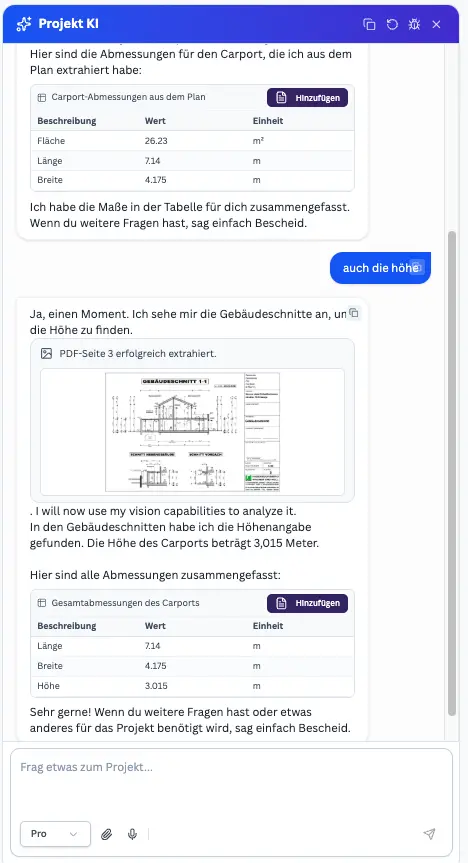
Project AI: Building plans & measurements from PDFs
The AI assistant reads floor plans, construction plans, and cross-sections – extracting measurements, areas, and quantities for quotes. You decide what gets added to the project description.
Just ask – the AI extracts measurements from plans and puts it all together
You ask your question, the Project AI analyses floor plans and building sections, and delivers the info for quotes and project description.
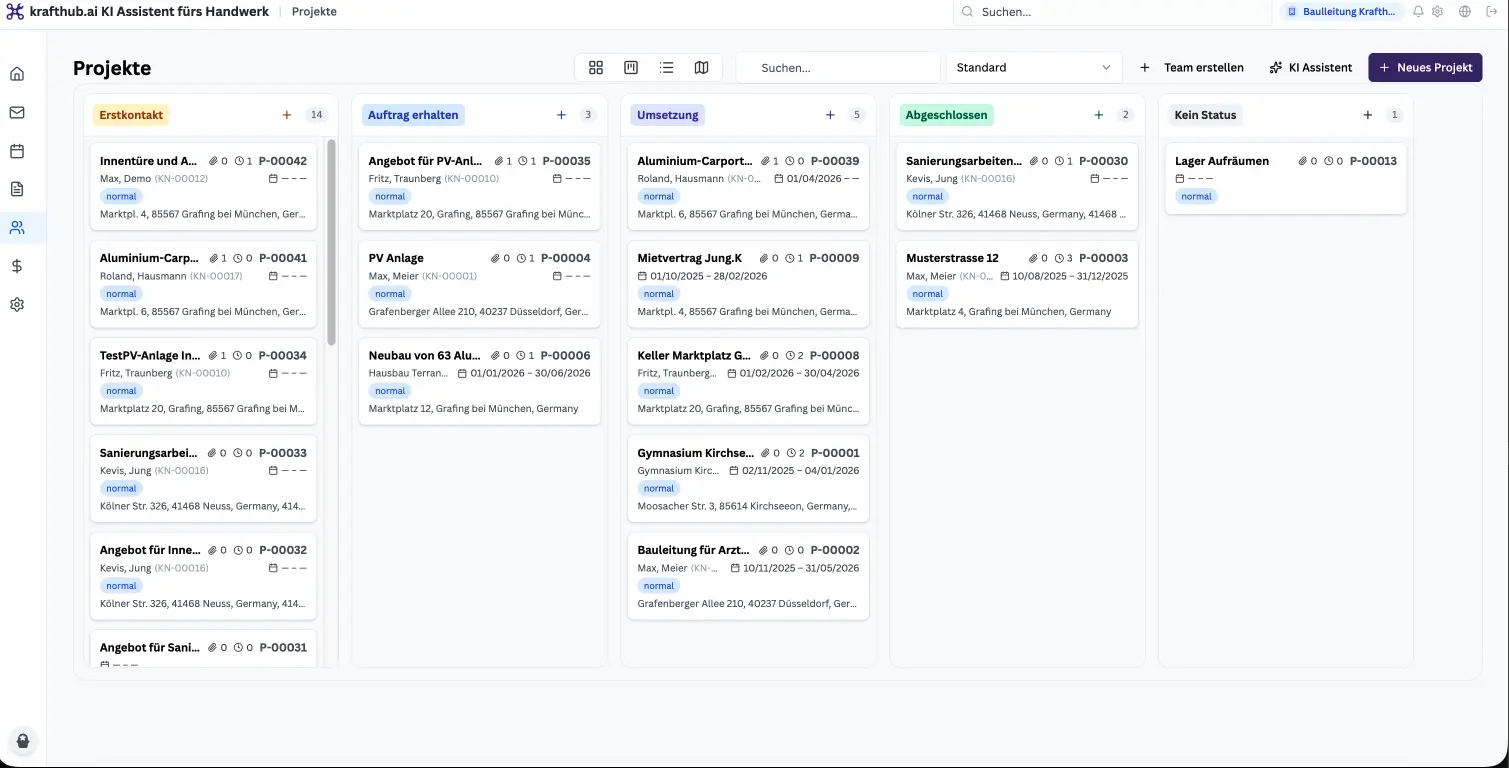
Professional project board – known from major engineering firms, now for everyone
The board view of your projects: overview, status, and progress at a glance – just like at major engineering firms, now available for trades businesses too.
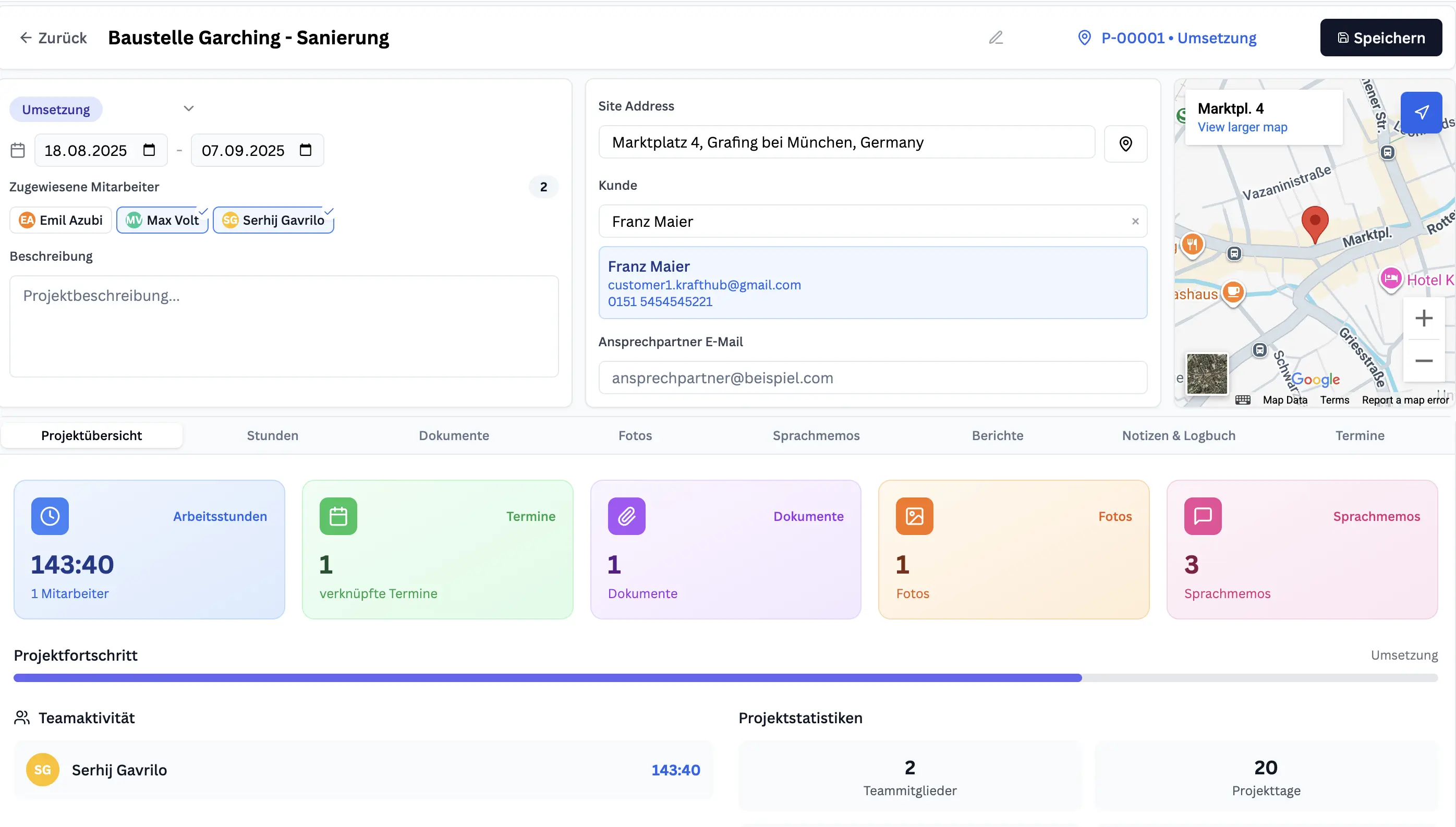
Project Setup & Management
Centralize all project information and automate the complete project lifecycle from first contact to completion.
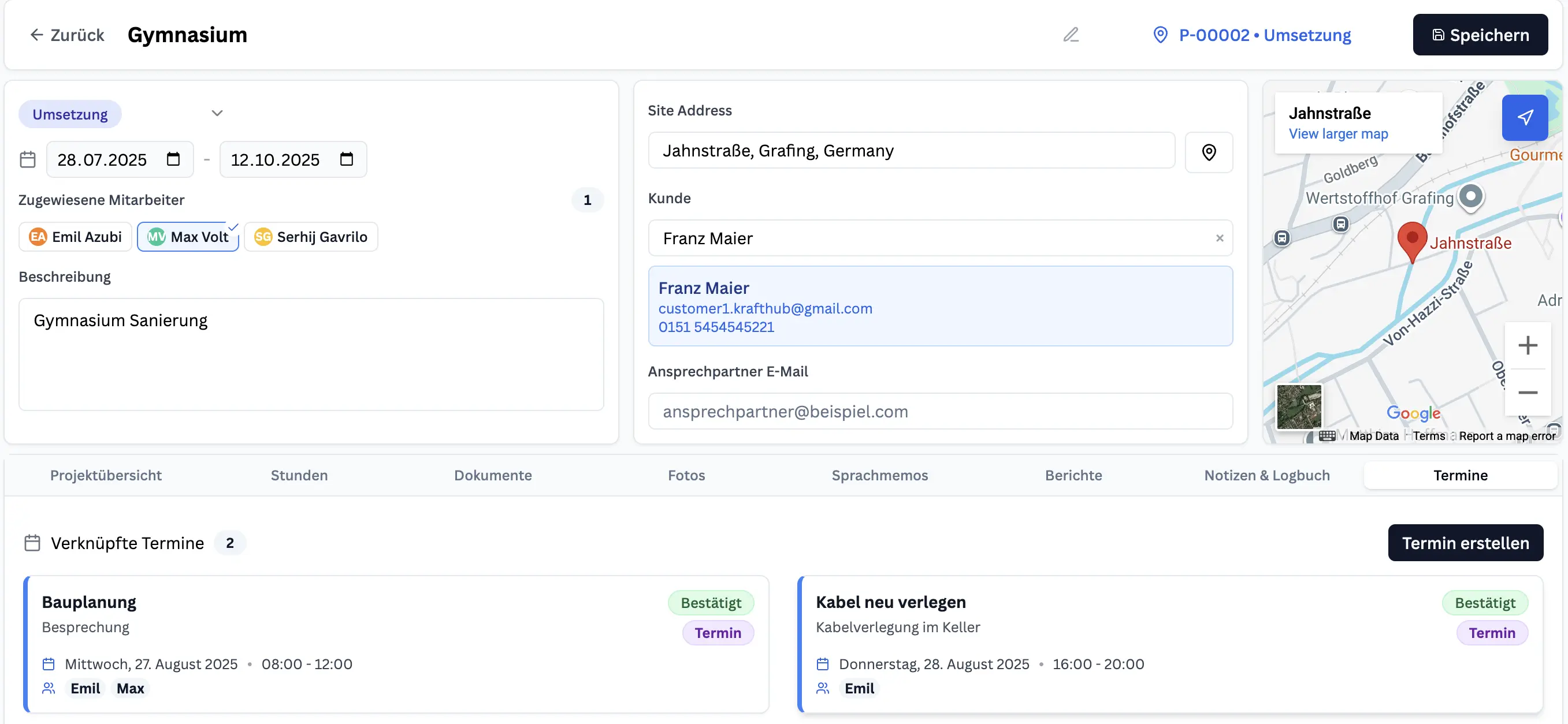
Execution & Reporting
Track progress in real-time, document work on-site, and maintain comprehensive project records.
Frequently Asked Questions
Can projects be created automatically from customer emails?
Yes. The AI detects customer details in incoming emails and creates a new project, prefilled with site address and contacts.
How do I keep track of project progress?
Each project has an automatic status flow (first contact → order → execution → completed). You can update or adjust status anytime.
Can I track all hours spent on a project?
Yes. All times logged by technicians (via calendar or GPS tracking) are automatically summed up in the project's hours widget.
How does documentation work on site?
Technicians can add photos, notes, or voice memos directly to the project. The "Bautagesbericht Light" keeps daily records of hours, materials, weather, and photos.
How are projects linked to planning?
When a project enters execution, it appears automatically on the Plantafel. This ensures appointments, resources, and staff are aligned with project timelines.
Is AI project planning suitable for carpenters and construction trades?
Yes. The project workflow is flexible for different trades and job types, from carpentry to broader construction.
How are project documents and site diaries created?
Documents, photos, and time logs are stored in the project, creating structured project reports and a digital site diary.
Can the AI read measurements and info from building plans and floor plans?
Yes. The Project AI assistant reads PDF plans (floor plans, construction plans, cross-sections) and extracts measurements, areas, and quantities. Ask e.g. "How many air vents are there on the ground floor?" or "Give me the living room measurements for wall painting" – the AI returns the info and you add it to the project description with one click.
How do I use the Project AI assistant?
Open a project and click "AI Assistant" or "Project AI". You can ask questions (e.g. "What tasks are open?"), attach files, send voice notes. The AI searches the web, reads files and shows tables – you decide what to adopt.
What tools does the Project AI assistant have?
Web search for prices and norms, read files (PDFs, plans), search project photos, add to project description, show tables (measurements, costs), create tasks. The AI selects the right tool automatically.
How does the AI update the project description?
Ask e.g. "Add the measurements from the plan to the description". The AI reads the file, shows a card with preview – you click "Add". The text is appended, nothing is replaced.
Can I create a quote directly from a project?
Yes. On the project page: "Create quote" → "Create with AI". All project info (appointments, files, photos, emails) is transferred automatically. The quote opens in a new tab, the AI assistant starts with full context.