
Episode 1
The property and its contract
Building, parties and access in the property file – then the contract with its services and season months.
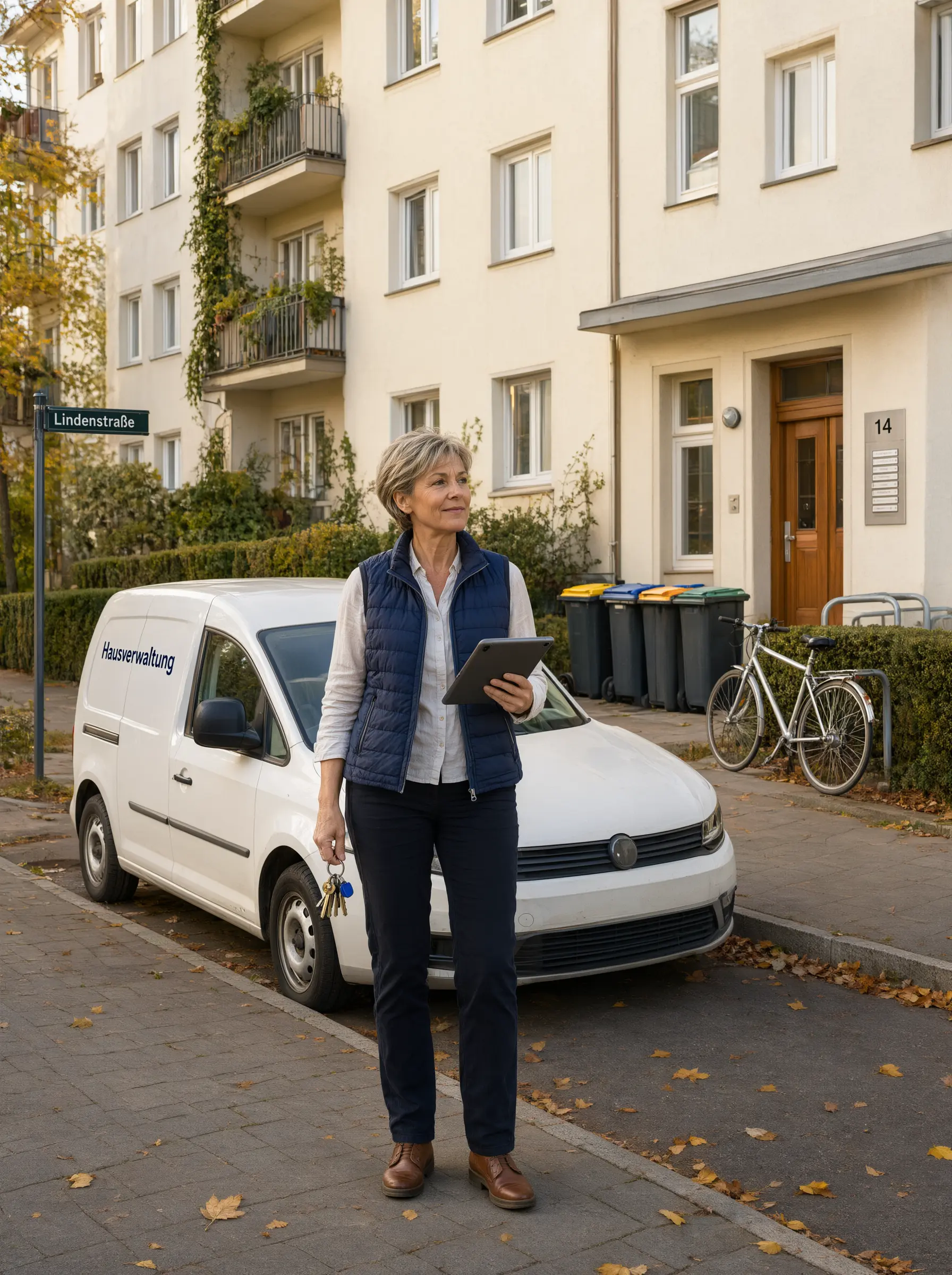
AI assistant for caretaking, building cleaning and property maintenance
Your AI assistant reads the property manager's job orders from email and PDF, writes quotes and keeps the office work off your plate. Properties, service contracts, visits and the monthly invoice in one place – for stairwell cleaning, garden care, winter service, bin service and minor repairs.
Built for businesses that look after residential and commercial buildings for property managers, homeowners' associations and housing companies:
Your AI assistant
In caretaking, work arrives by email, by phone and as a PDF. The AI reads along, fills in and suggests – you check and confirm. Where money is concerned, the fixed rules of your contract apply.
When the property manager sends a job by email or as a PDF, the AI reads both, recognises the contract, suggests the matching service to call off and fills in the job. If something does not fit, the note sits right at the field.
New property, special cleaning or hedge cutting: describe the service – the AI quote assistant creates a quote with line items and uses similar quotes from your history as a template. From a PDF plan, the AI works out the areas. Once the quote is accepted, you take its lines into the service contract.
The AI sorts incoming emails and suggests replies – appointment confirmation, follow-up question or quote. You check and send.
While your team is in the boiler room or on the roof, the AI phone assistant answers calls, captures the request and creates it for you – no call from the property manager gets lost.
"Stairwell Lindenallee Wednesday, winter service Parkstraße from seven" – say it, the AI picks up the details and creates the appointments.
Take photos before and after – the AI writes the description for your records. So you have the proof when the property manager asks.
How it works
KraftHub maps the work with property managers the way it actually runs in a caretaking business. Each step builds on the one before – you never maintain anything twice.
The building with its address, parties and access.
Term, notice, payment and the agreed services.
Created from the contract, by call-off – or the AI reads them from the email.
Scheduling in the planning board or the calendar.
After the visit, the office closes the job.
The billing run creates one invoice per property.
Property maintenance
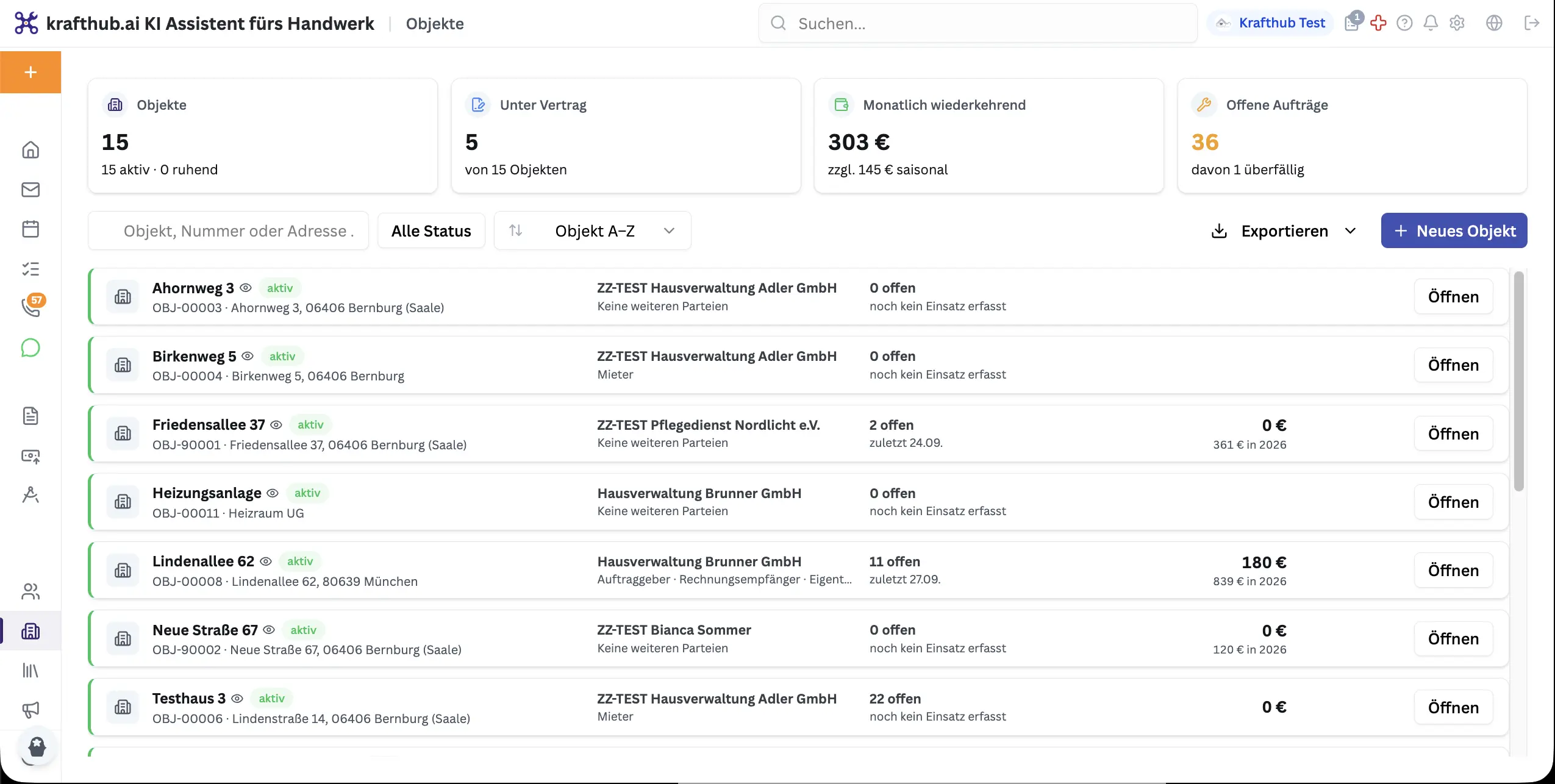
A property is the building, a unit in it such as a flat, or an installation such as the heating. Contracts, jobs, visits and invoices attach to it – the history shows what was done and billed, and when.
Service contract
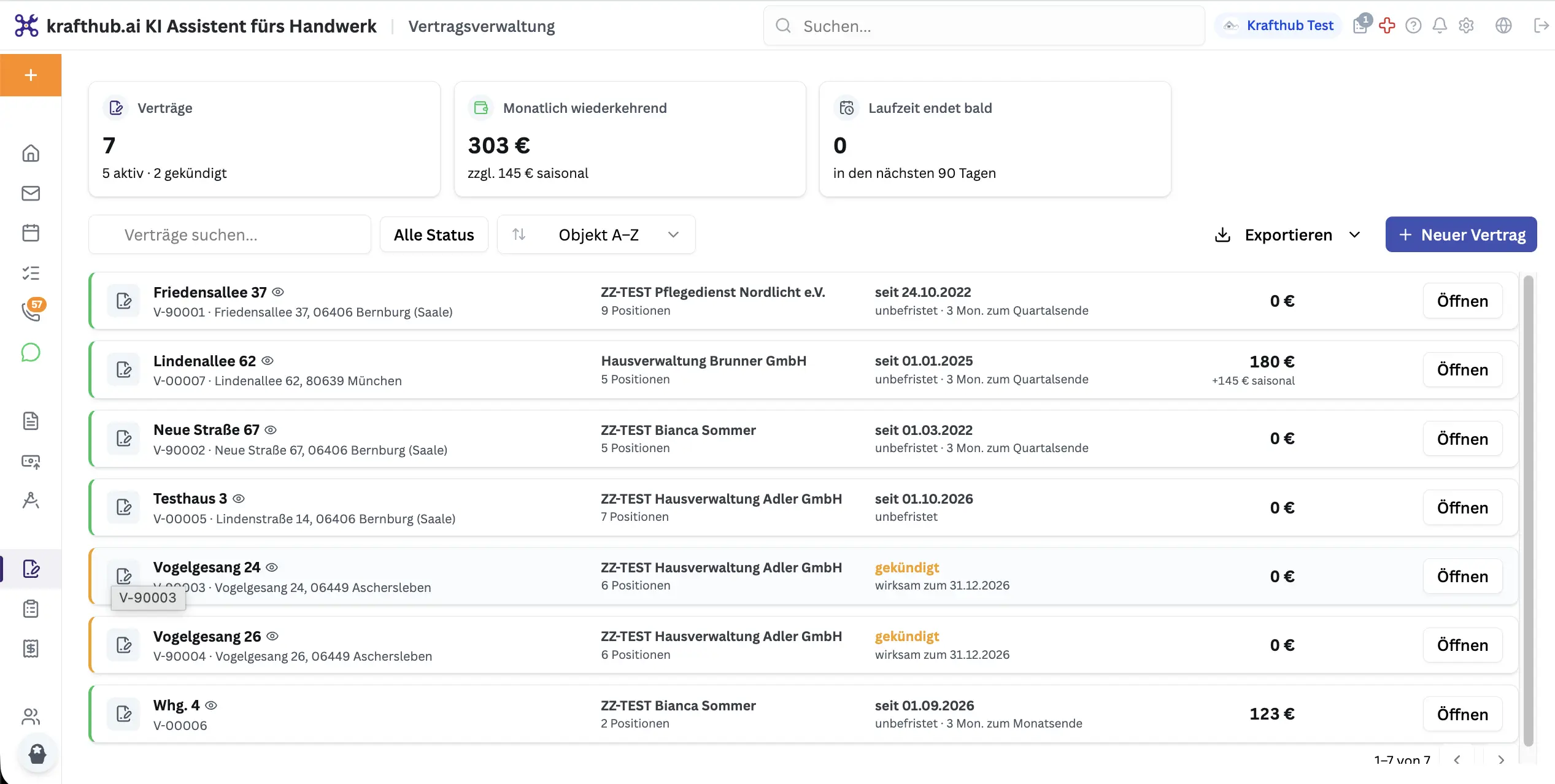
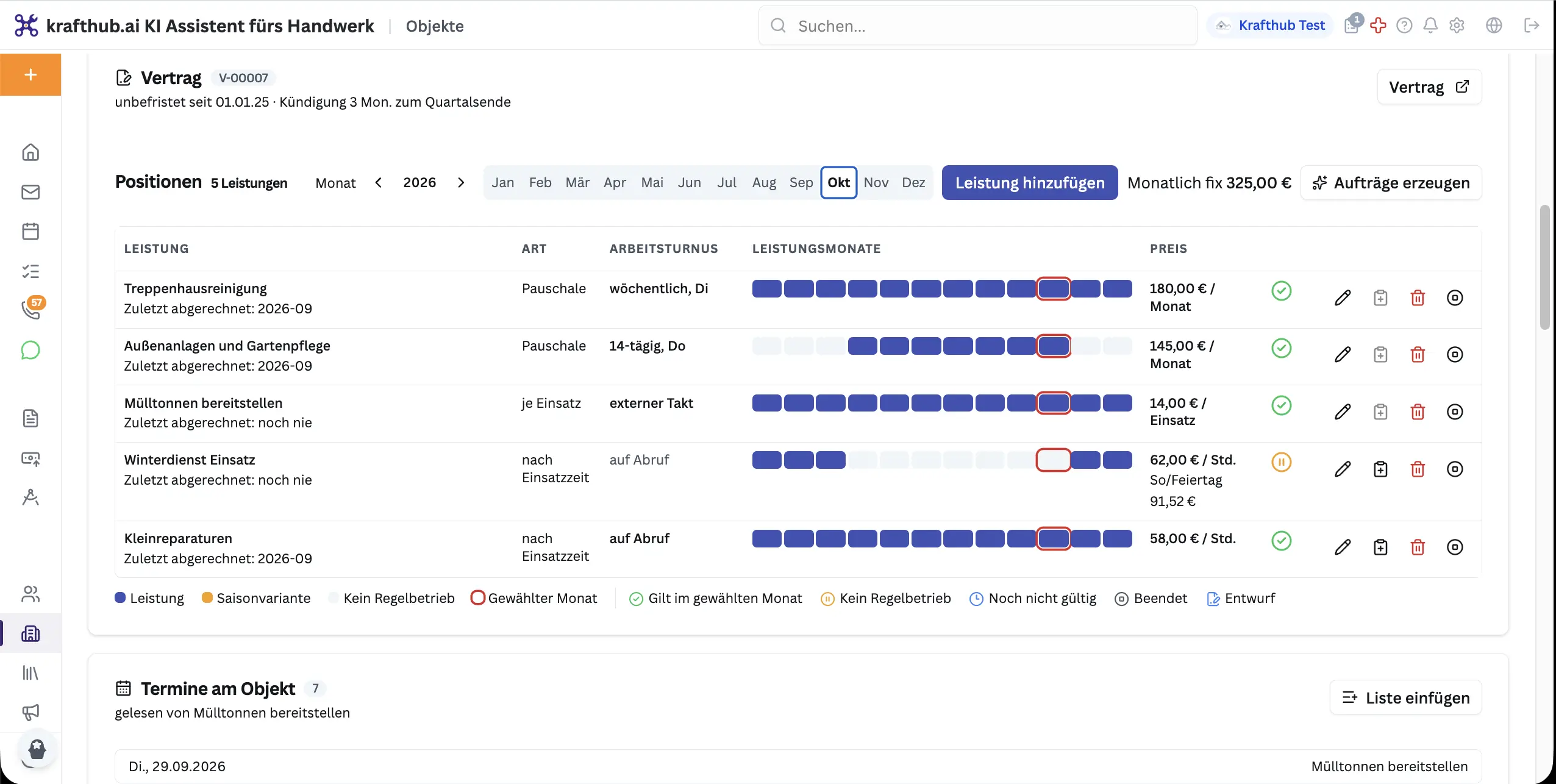
The contract header holds term, notice period, payment terms and billing. Below it, every service with its billing type, price, work frequency and service months. As long as the contract is a draft, no jobs and no invoices are created.
Billing types
The billing type decides what a job asks for and how it is billed. A standby flat fee can be offset against the visits of the same service in the month.
| Billing type | How it is charged | Typical for |
|---|---|---|
| Flat fee | A fixed amount per month, quarter or year – however often the work is done. Jobs count as “covered by flat fee”. | Stairwell cleaning, maintenance cleaning, garden care |
| By time | Recorded time × rate, with night, Sunday and holiday rates. Every quarter hour started counts in full. | Minor repairs, winter service call-outs |
| Per dispatch | A fixed amount per trip. | Bin service: putting out the bins |
| Per completed visit | A fixed amount per confirmed visit – also as a surcharge on another service. | Grit per snow clearing and gritting visit |
| Pass-through | Costs from a supplier's receipt, passed on without a mark-up. | Disposal through a waste contractor |
Jobs & visits
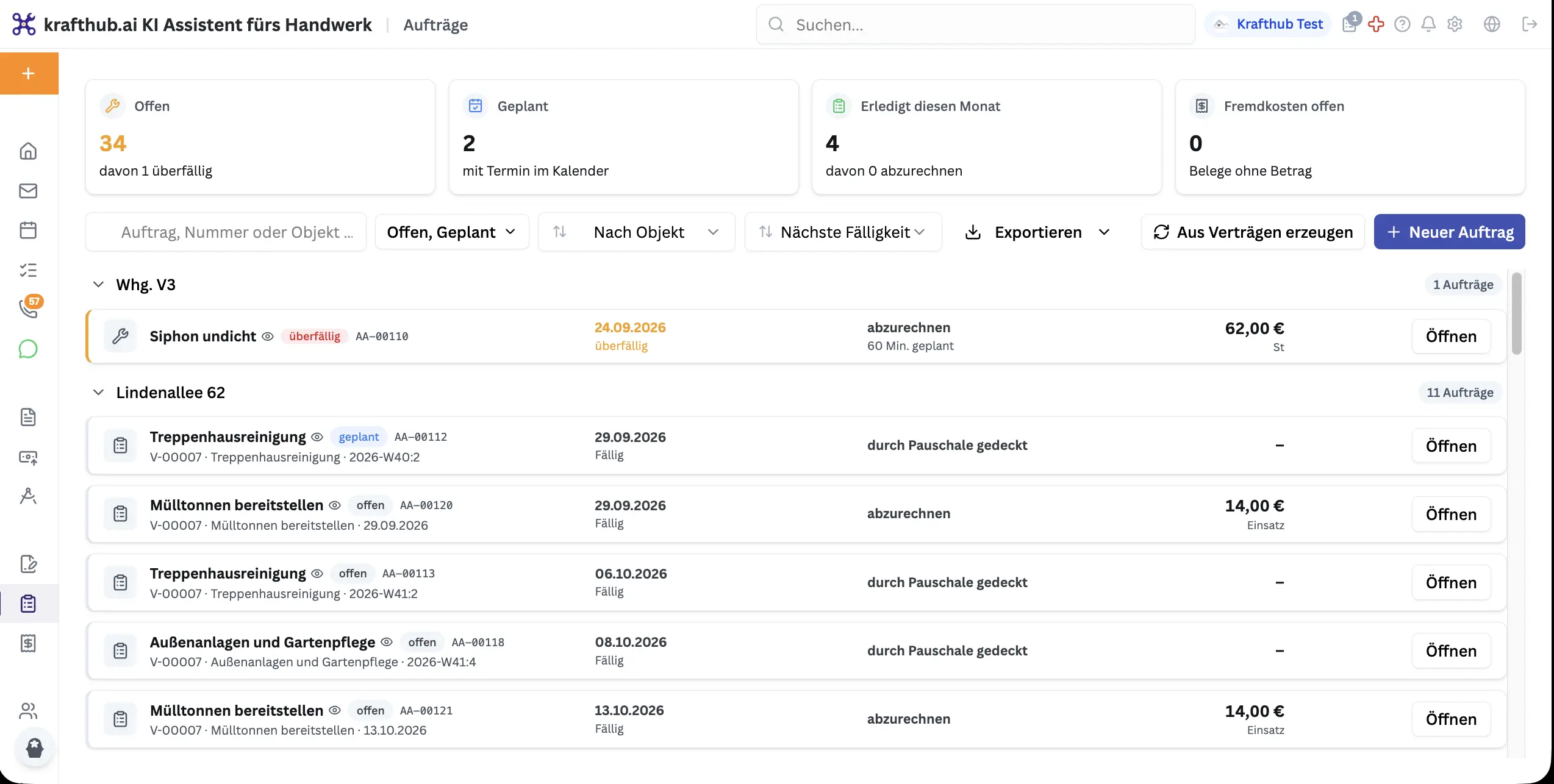
One click on “Generate from agreements” puts everything due in the next six weeks into the backlog – such as the stairwell cleaning every week. Nothing is created twice.
Billing run
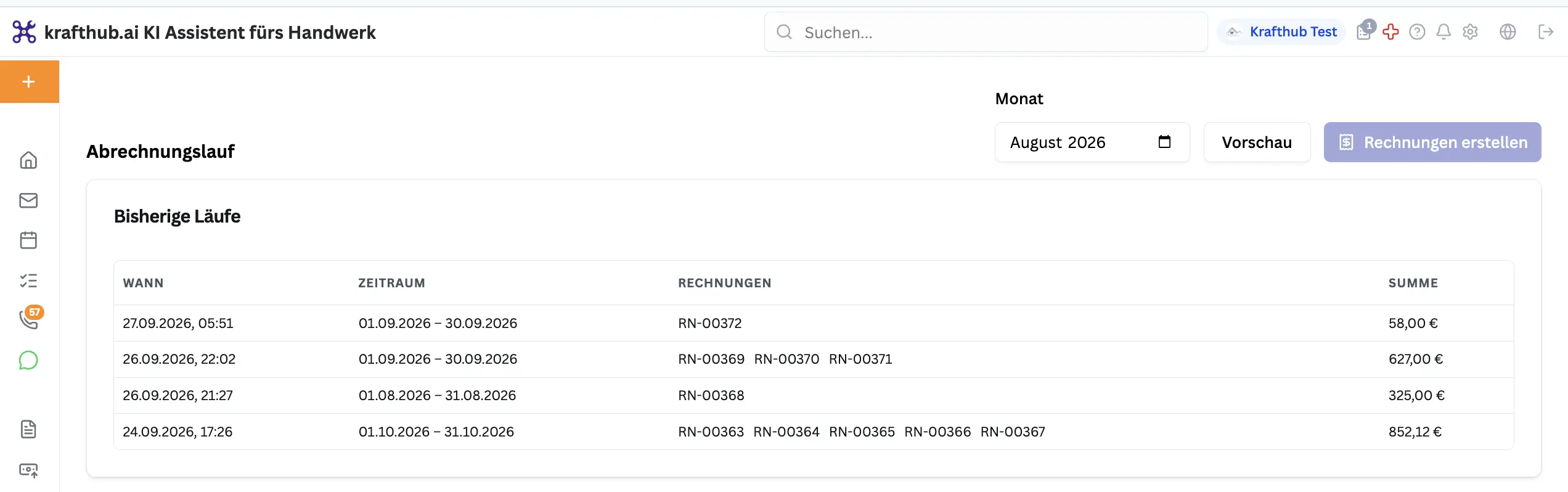
The billing run creates one collective invoice per property and contract – with flat fees, visits, time and third-party costs – addressed to the property's invoice recipient. The monthly invoices wait as drafts, and the jobs count as billed.
Explained in three videos
The series shows the property and its service contract, the path from contract to visit and how completed jobs become the monthly invoice. The videos are in German.
Episode 1
Building, parties and access in the property file – then the contract with its services and season months.
Episode 2
Generate jobs from the contract and schedule them onto an employee and a day in the planning board.
Episode 3
Check the time, close the job, run billing with a preview – one invoice per property.
Frequently asked questions
In a fixed order: you create the property, then the service contract with term, notice and services. Jobs come out of it, and you schedule them as visits in the planning board. After the visit you close the job with “Done”, and at the end of the month the billing run creates one invoice per property.
It reads the property manager's job orders from email and PDF and fills them in, writes quotes with the AI quote assistant, suggests replies to emails, creates appointments by voice and describes your photos for your records. The AI phone assistant answers calls when nobody is in the office. Nothing is saved until you confirm – and billing follows the fixed rules of your contract.
No – KraftHub is for the business that works for the property manager: caretaking, building cleaning and facility services. In KraftHub, the property manager, the owners' association or the housing company is your client and invoice recipient.
Flat fee for stairwell cleaning, maintenance cleaning and garden care. By time for minor repairs and winter service call-outs. Per dispatch for putting out the bins. Per completed visit for surcharges such as grit. Pass-through for a waste contractor's costs, passed on without a mark-up.
In the service, answer “When is the work carried out?” with “In selected months” or use the preset “Winter Nov–Mar” or “Summer Apr–Oct”. For a flat fee, you choose whether it applies only in the working months or all year. No jobs are created outside the season – the service shows “out of season”.
With “Generate jobs” in the contract or “Generate from agreements” in the job overview, KraftHub puts everything due in the next six weeks into the backlog. Nothing is created twice. Services “on demand” are only created by call-off.
In the email, choose “Call off services” or “Accept as work order” under “Contract”. The AI reads the email and the PDF attachment, suggests the contract, moves the matching service to the top and fills in the fields. On saving, the email is linked to the contract – the same service cannot be called off from it a second time.
Their visit with the property, the address and the details from “Access & keys” – keys, gate code, parking, boiler room – plus the details of the job. They book their working time right at the visit and close it. The office closes the job with “Done” – only then does it go into the billing run.
Under billing, pick the month, click “Preview” and check the cards – one invoice per property and contract. If “What stands in the way” appears at the top, fix those points first. Then “Create invoices” and confirm. The invoices wait as drafts to the property's invoice recipient, and the jobs count as billed.
On the service in the contract or on a single job, choose the cost type under § 2 BetrKV in “Tax & allocation”, e.g. building cleaning, garden care, street cleaning and waste removal, or caretaker. For household services under § 35a EStG, choose “Yes, state the labour share” – the labour share then appears separately on the invoice. The property file shows how much of it was chargeable to tenants.
“No invoice recipient” – add an invoice recipient under parties at the property. “No time recorded” – the employee books the time afterwards or you undo the completion. “Job without a price” – set the type and price in the job. “Third-party cost missing” – assign the receipt and take over the amount. Then “Preview” again – the run only creates invoices once nothing stands in the way.
14 days free, no credit card. Developed in Bavaria, data in German data centres, GDPR-compliant. Your AI assistant reads the property manager's emails along the way.